 Trove


A dashboard that is yours
Drag cards anywhere, set each card's width and pick how much detail it shows.
WINDOWS · LOCAL-FIRST · OPEN SOURCE
Trove reads the OFX file your bank already gives you and organises everything in one local file. No account, no server, no bank password.
 MIT open source
 SQLite a file of your own
 No telemetry no events
 Signed updates verified by the app
Features
Trove goes the other way: you download the statement from your bank and import it here. The data never leaves the machine.
Drag cards anywhere, set each card's width and pick how much detail it shows.
OFX 1.x and 2.x, configurable bank CSV, deduplication by FITID and by fingerprint, and a history of every file that came in.
A category tree, budgets per category and rules that classify without overwriting what you chose by hand.
A paired transfer does not inflate income or spending. A refund nets against the original purchase.
Budgets with carryover, free-to-spend, recurring-charge detection and 3, 6 and 12-month forecasts.
Accounts, cards, investments and debts side by side, with their evolution over time.
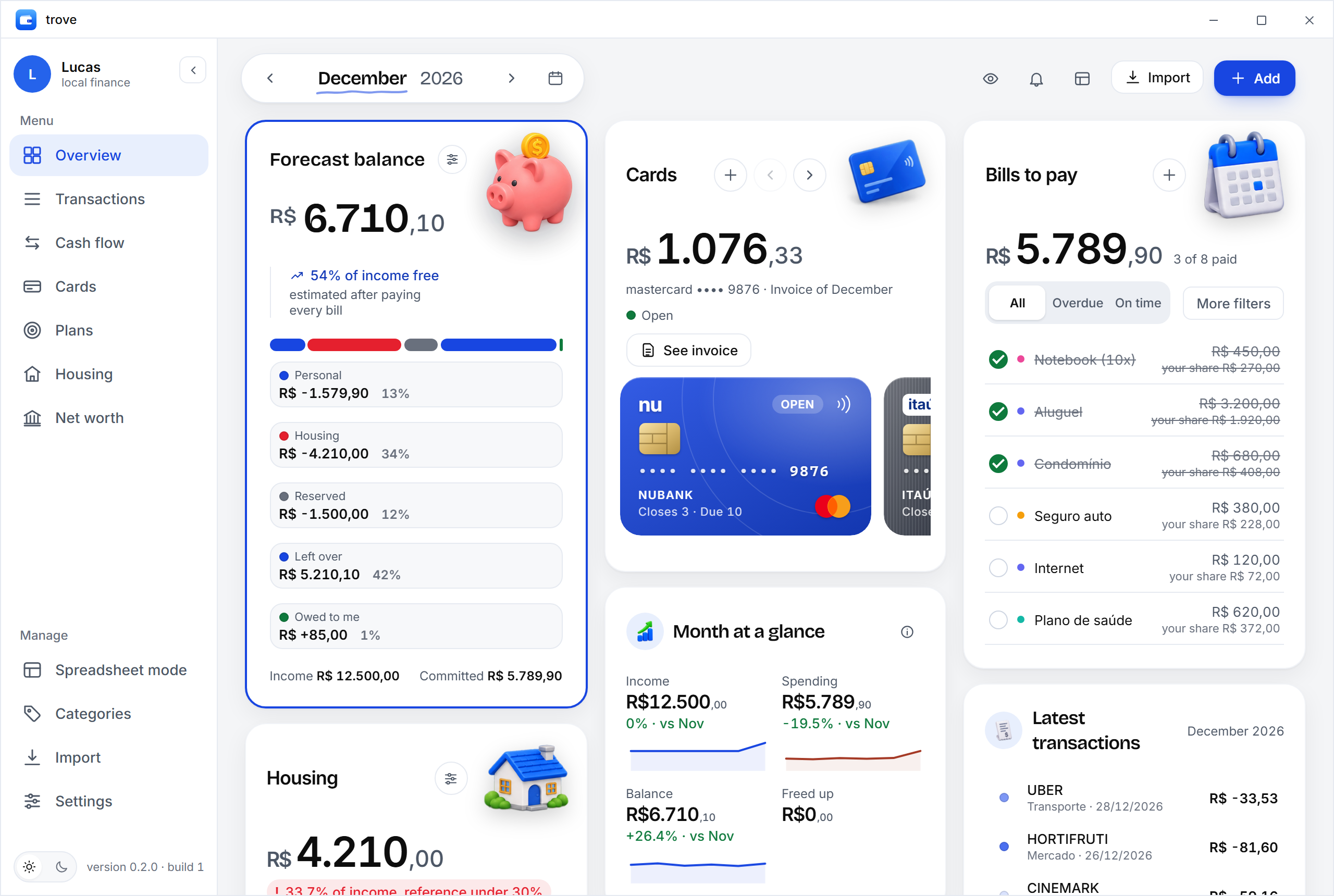
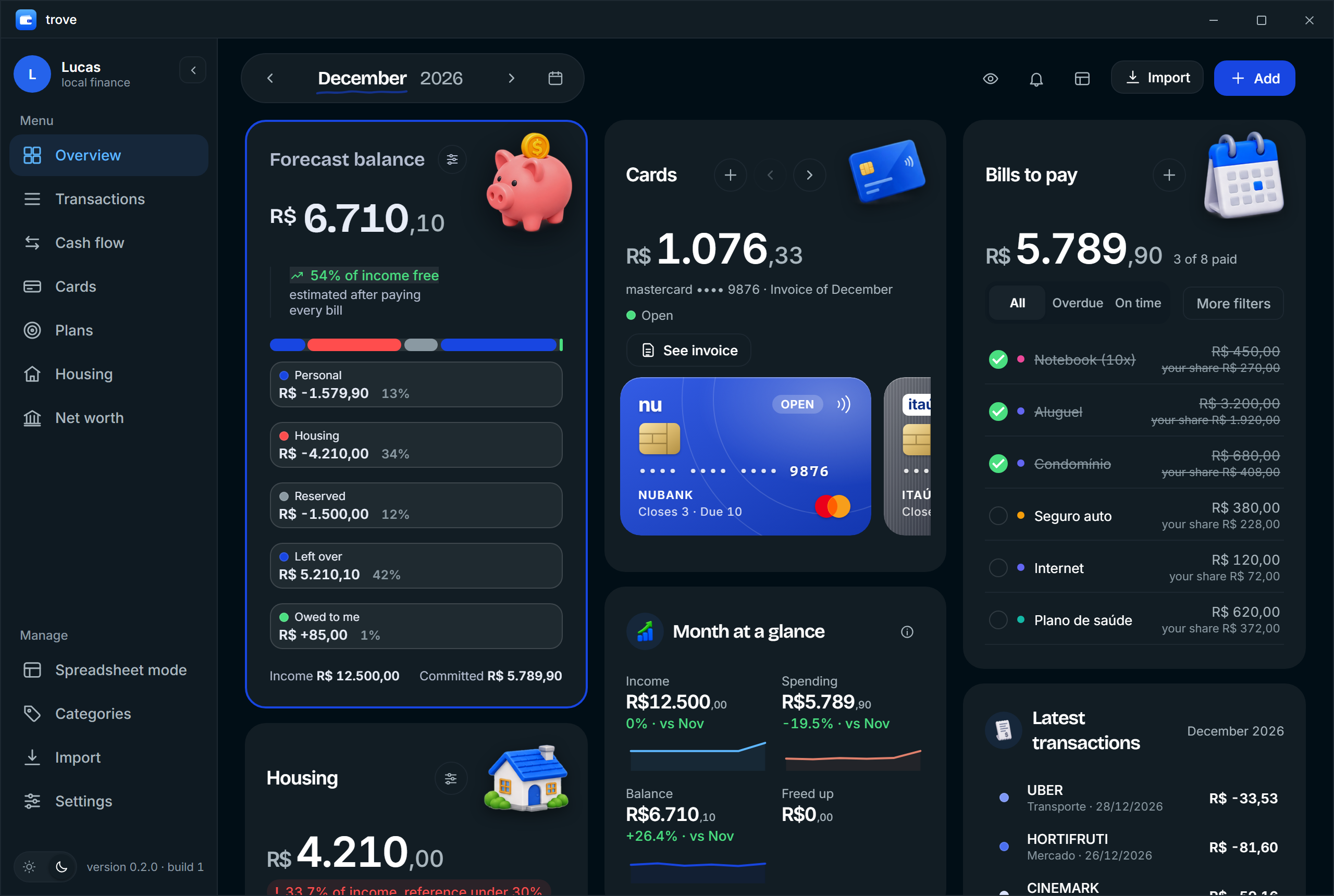
The real app
Screenshots generated by the repository itself, from sample data.
Current version: 0.9.1See the repository
Who it is for
A niche app, made for people who prefer a file of their own to a cloud account.
Where the data lives
SQLite, open, inspectable, no proprietary format.
%APPDATA%\trove\trove.dbBackup with VACUUM INTO, and a restore that checks the file's integrity before it replaces the live one.
The app talks to GitHub to check for updates. If you turn on the optional crypto tracking (off by default), it also asks CoinGecko for coin prices, sending only coin names. Nothing else.
Every number on screen answers one question: where did this come from?
Imported entries keep the file and line that produced them. Manual ones are clearly marked as manual.
Your data never leaves your computer: no account, no cloud, no server in the way.
FAQ
Trove is open source, so the code that builds the installer is public. The build still has no code signature (a certificate costs a lot per year), so SmartScreen may warn on first run. If you trust where it came from, click “More info” and then “Run anyway”. Always download from the GitHub releases page.
Any bank that exports OFX (1.x or 2.x). For banks that only give you CSV, Trove has configurable column profiles you save per bank. There is no fixed list of banks, because Trove reads the file, not the account.
No. Everything works offline. The app's only connections are to check for and download updates from GitHub and, only if you turn on the optional crypto tracking, to fetch coin prices.
In a SQLite file on your computer: %APPDATA%\trove\trove.db. Settings shows the folder.
Yes. In Settings you make a local copy of the database and restore a validated one. Restoring checks the file's integrity before it replaces the live one.
Not yet. Today Trove is Windows 10 and 11 (x64) only.
Yes. The app switches between Portuguese and English in Settings and remembers the choice.
Open an issue or a pull request on the GitHub repository. Reports of a statement that did not import right are the most useful.


